



Hec-Ras options
Hec-Ras is an excellent commonly-used public domain backwater computation program written by the US Army Corps of Engineers. Hec-Ras requires considerably more data input than PC-Convey.
You can quickly and easily combine your PC-Convey data files in a form which can be imported into the Hec-Ras program. This enables you to use PC-Convey's powerful editing features to quickly design a suitable cross-section and then use Hec-Ras to examine the effects of adding a bridge, culvert, weir or encroachment. PC-Convey can also be used to calculate the starting water surface level for Hec-Ras runs. It is also sometimes useful to compare the results obtained from 2 different programs.
There are two methods by which HEC-RAS models can be created from PC-Convey cross-sections. In method 1 each PC-Convey cross-section represents an entire reach of the waterway, with a number of identical cross-sections being appended each time. This could be used to create a Constructed Waterway model. Method 2 involves adding a single cross-section at a time to create the waterway model.
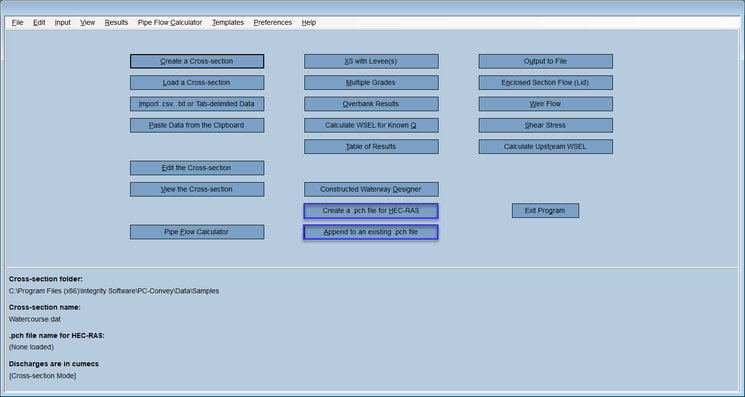
- PC-Convey assigns actual chainages to the cross-sections within the HEC-RAS model rather than just recording them as cross-sections 1, 2, 3 etc. By default, the first cross-section will be given a chainage of 0, however a different chainage can be assigned by including "StartingCH" in the PC-Convey data file name followed immediately (i.e. no intervening characters) by numeric characters, for example "Project name StartingCH34.76 cross-section 001.dat".
Chainages of subsequent cross-sections are calculated using the starting chainage, the Main Channel distance and the number of cross-sections appended.
- for cross-sections on a bend, PC-Convey calculates the inside and outside overbank distances from the Main Channel distance and the bend radius.
- the discharge can be varied along the HEC-RAS model by entering the required discharge when the PC-Convey cross-section is created.
- the discharge information and cross-section grade in the PC-Convey data file are used without the User being prompted for these values.
This concludes the guided tour of PC-Convey. Thank you for your interest.